Webhook configuration
This guide covers setting up and managing webhook endpoints in the Compliance Studio. Webhooks provide real-time notifications when age verification events occur.
Setting up webhooks
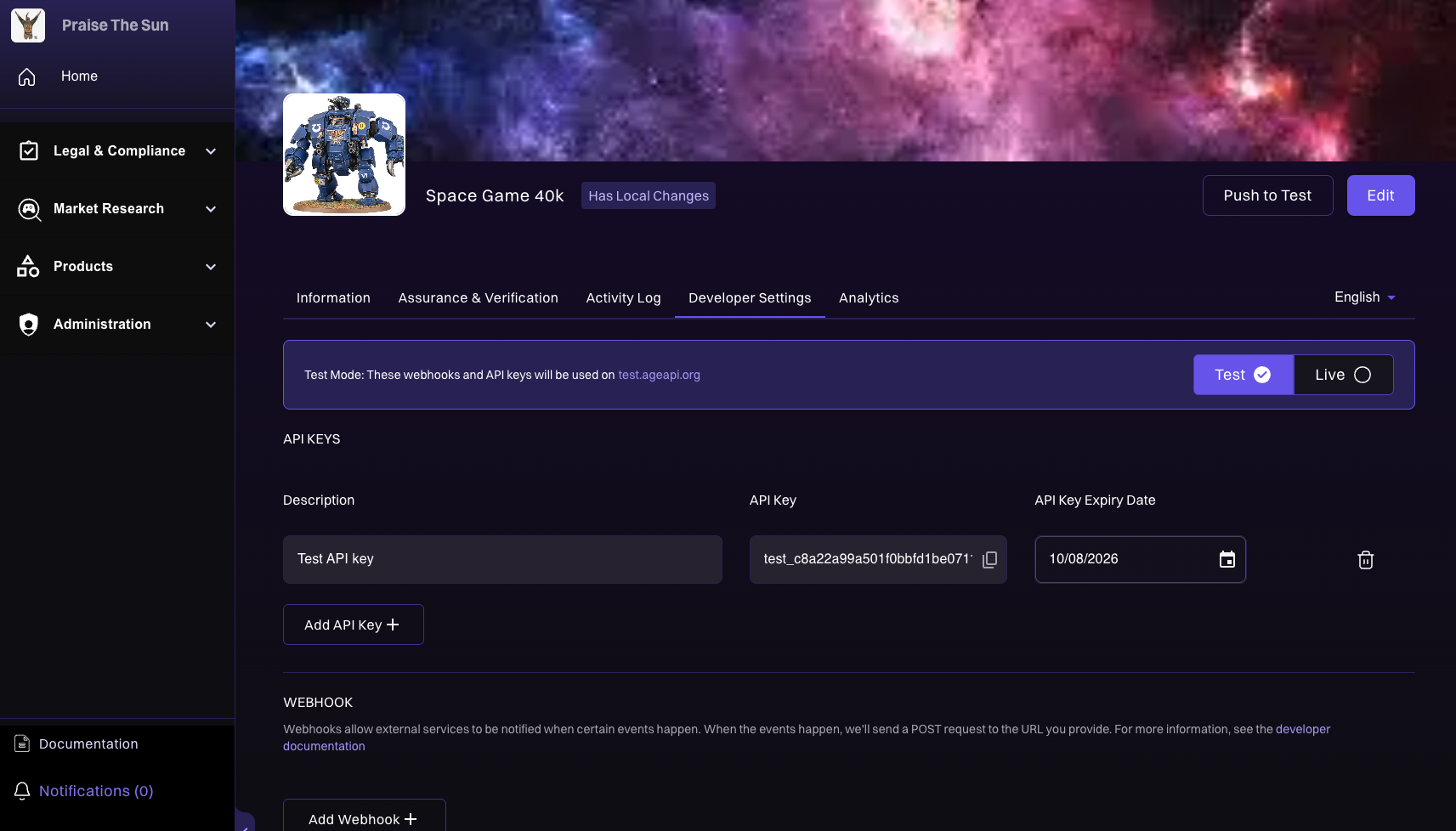
-
Log in to Compliance Studio
- Navigate to the Compliance Studio
- Log in with your credentials
-
Navigate to Products
- Select "Products" from the left sidebar
- Click "All Products" to list your products
-
Select Your Product
- Choose your product from the list
- Wait for the product to load
-
Access Developer Settings
- Click the "Developer Settings" tab
- You'll see the webhooks section
Webhook management interface
In the Developer Settings tab, you'll find a webhooks section with:
- Add Webhook: Instructions to add a new webhook endpoint
- Test Webhook - Built-in testing feature to verify your webhook setup
- Webhook Configuration: Manage existing webhook endpoints
Implementation details
For detailed information on implementing webhooks, including event structures, security, and code examples, see the Webhooks Guide.
Next steps
- Webhooks guide: Complete webhook implementation guide
- API reference: Complete API documentation
- Best practices: Follow security recommendations